
01. Overview
Tracking Order Technician is a concept exploration focused on improving transparency and trust during technician installation processes. The experience was designed from the user’s point of view, allowing customers to track technician location, view progress updates, and communicate when needed — without relying on manual follow-ups or uncertainty.
This project was developed as a design exploration informed by real operational workflows and industry benchmarks.
02. Problem & Opportunity
From a user’s perspective, technician installation often comes with uncertainty:
- Customers lack visibility into technician location and arrival time
- Status updates are fragmented across channels
- Communication between customers and technicians is limited or unclear
The opportunity was to translate existing operational data into a customer-facing experience that feels transparent, calm, and trustworthy.
03. Design Approach
Rather than designing the interface in isolation, the focus was on understanding how technician tracking works across existing systems and services.
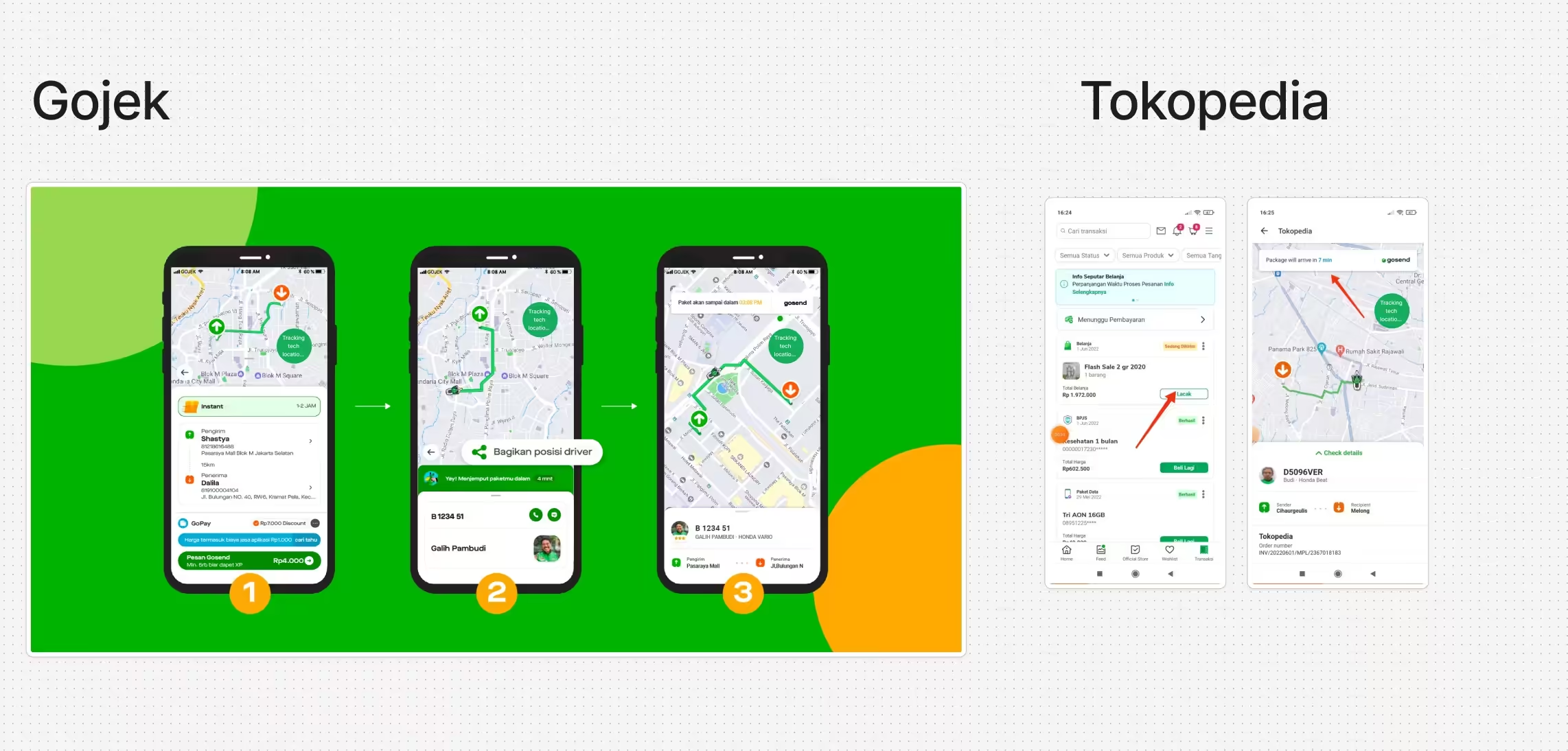
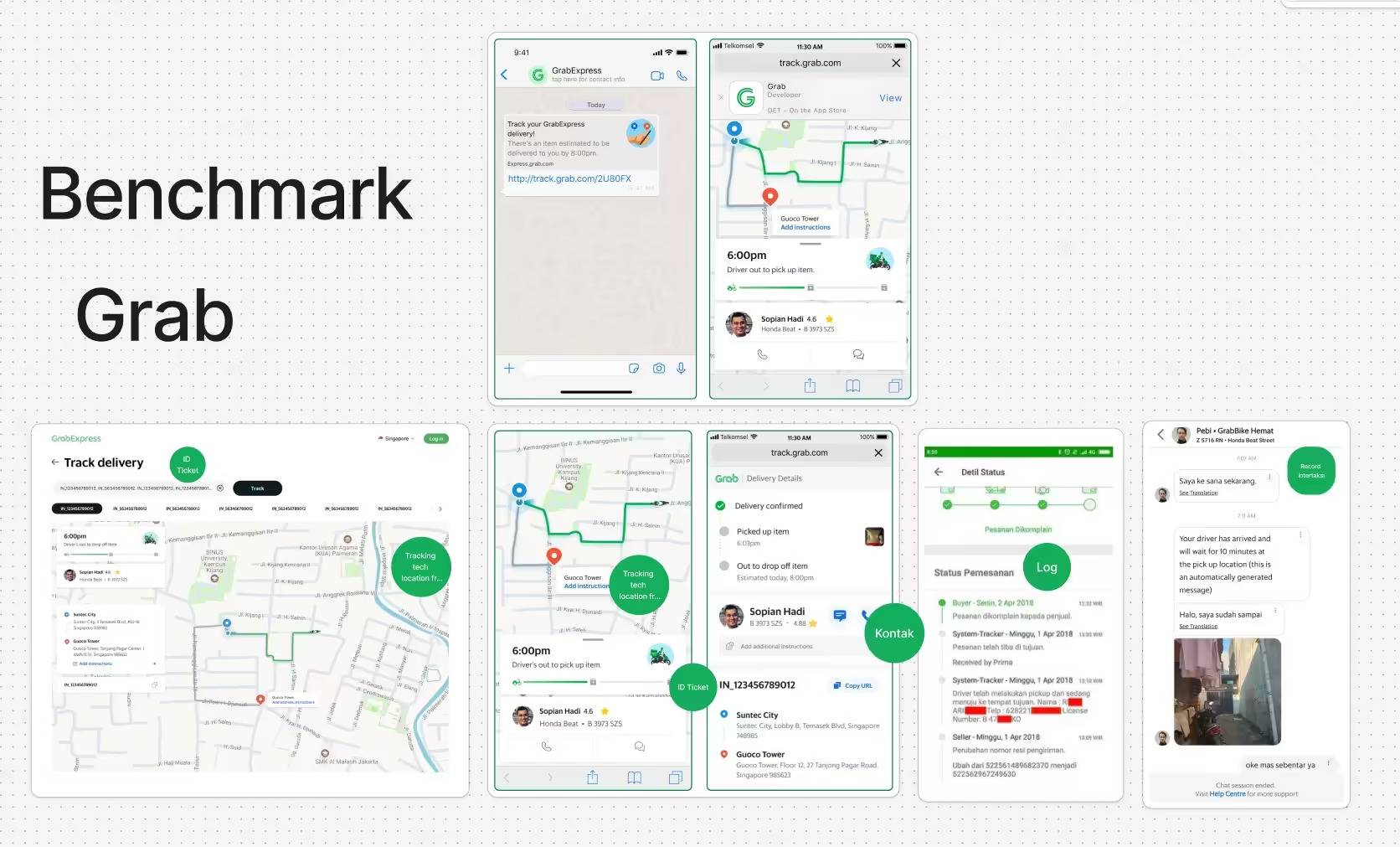
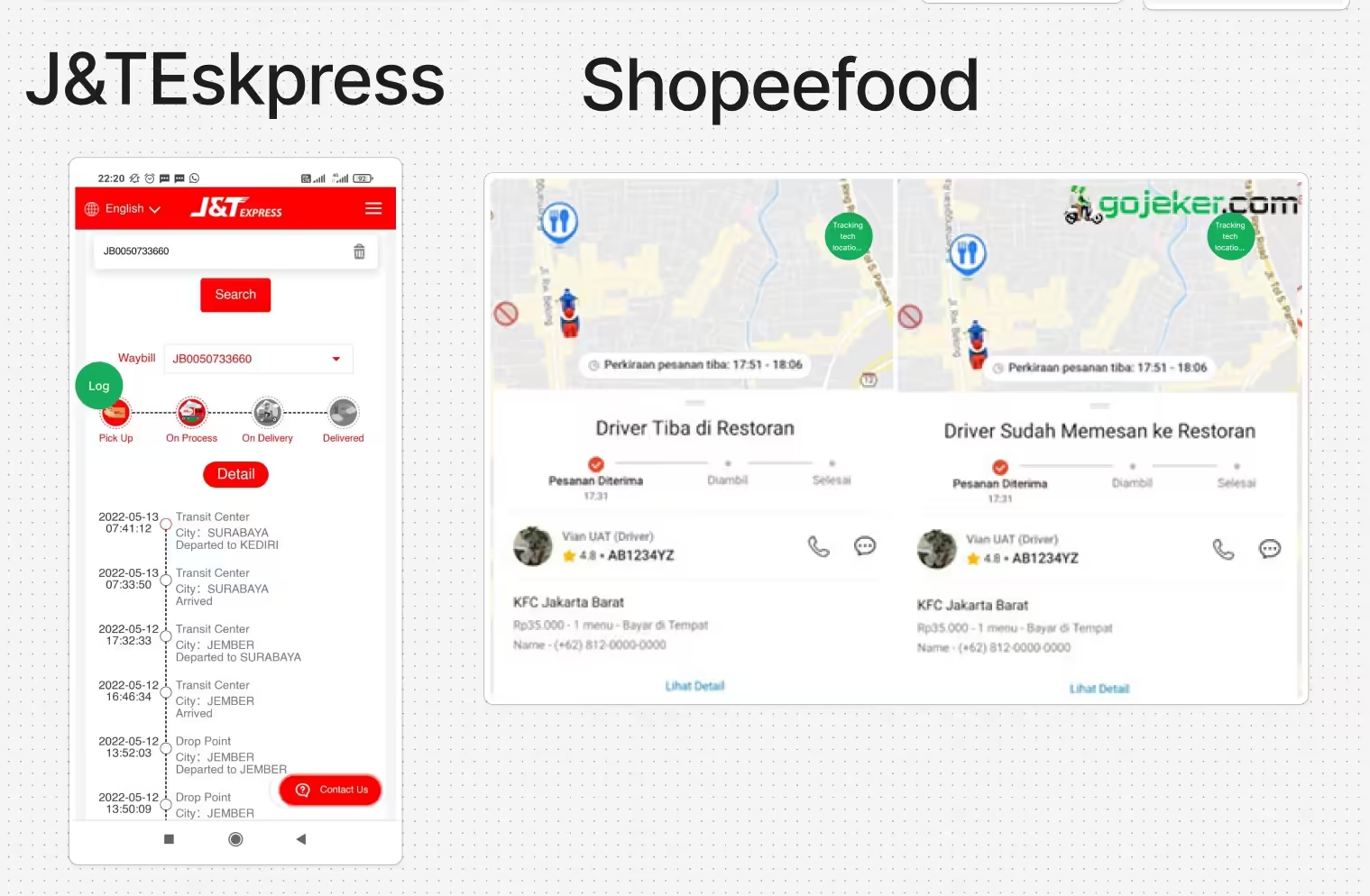
This included reviewing real-world tracking experiences from platforms such as Grab, Gojek, and J&T Express — not to replicate their interfaces, but to identify common interaction patterns, status models, and expectations users already understand.
04. User Flow & Key Design Decisions
The experience was designed around a simple, linear flow from the user’s point of view:
- Notification entry point
- Live tracking view
- Detail & progress section
- Message & interaction
Users receive a WhatsApp message containing a tracking link once the technician is assigned.
Users can see technician location, estimated arrival time, and current status on a map.
Users can access ticket details, service information, and progress logs without leaving the tracking view.
A lightweight messaging feature enables limited, contextual communication between the user and technician when needed.
Prototyping & Concept Screens
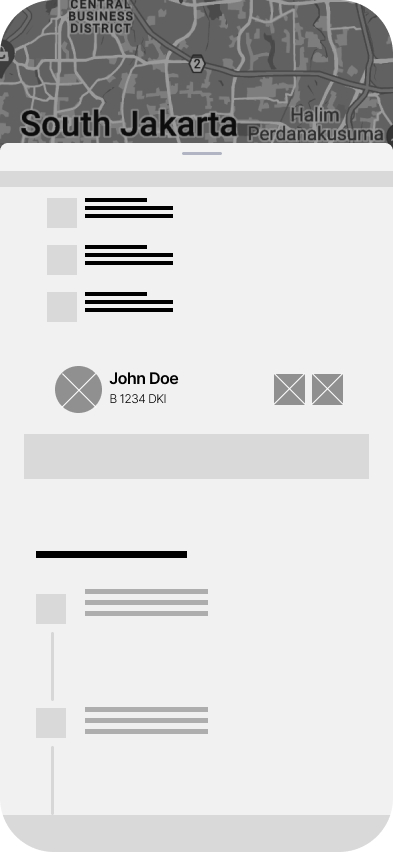
05. Prototyping & Concept Screens
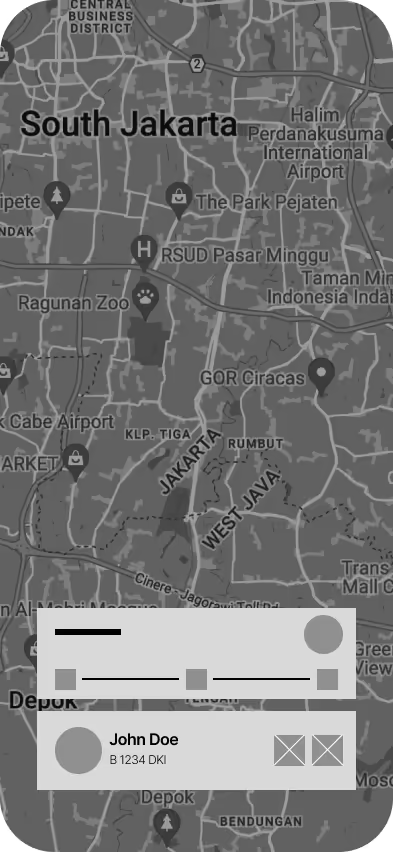
High-fidelity prototypes were created to explore how existing operational tracking data could be translated into a calm, transparent, and user-friendly experience.
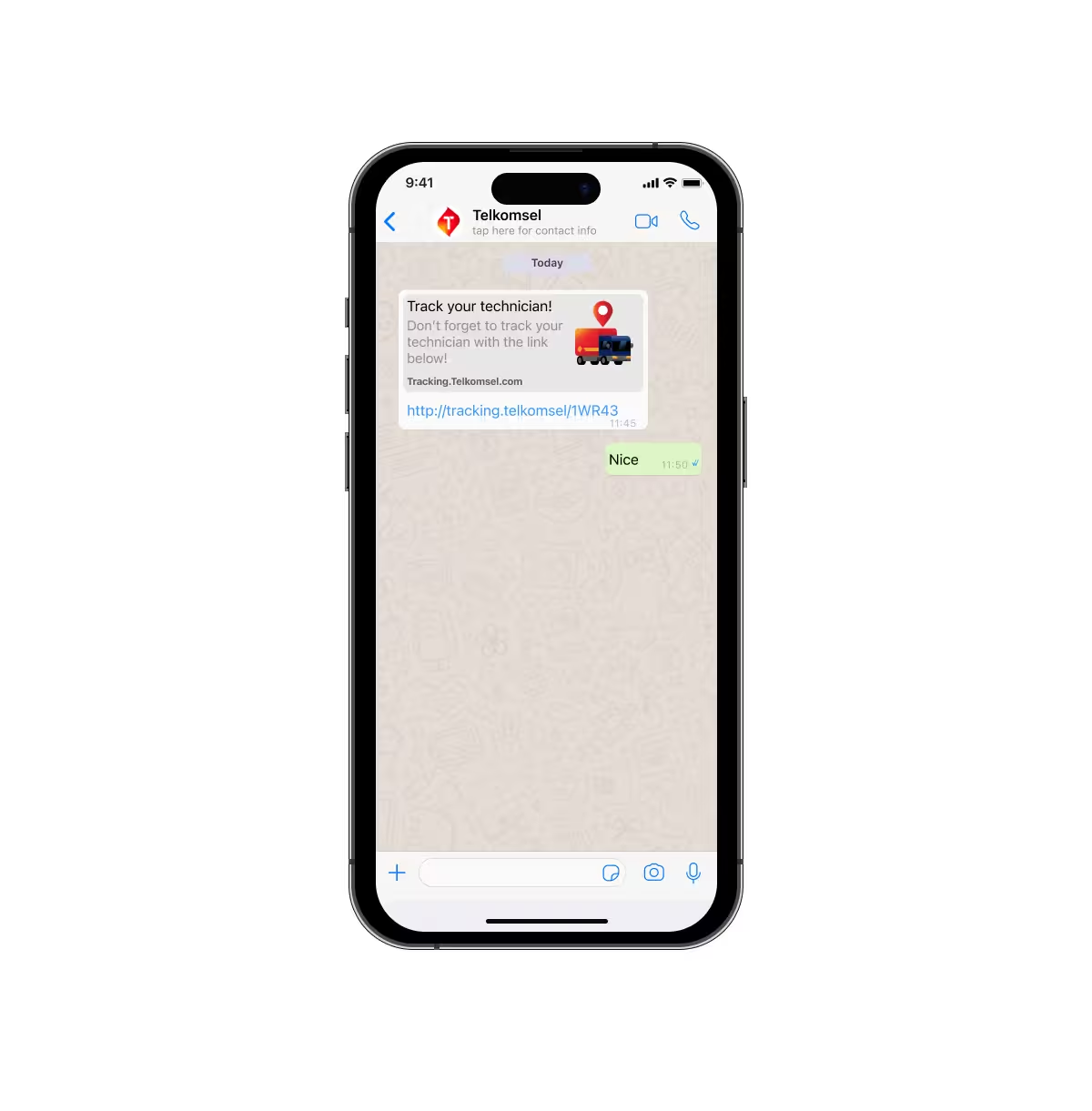
1. WhatsApp Entry Point
The experience intentionally starts outside the product interface.
Users receive a WhatsApp message containing a tracking link once a technician is assigned, reflecting how real-world communication often happens in technician installation scenarios.
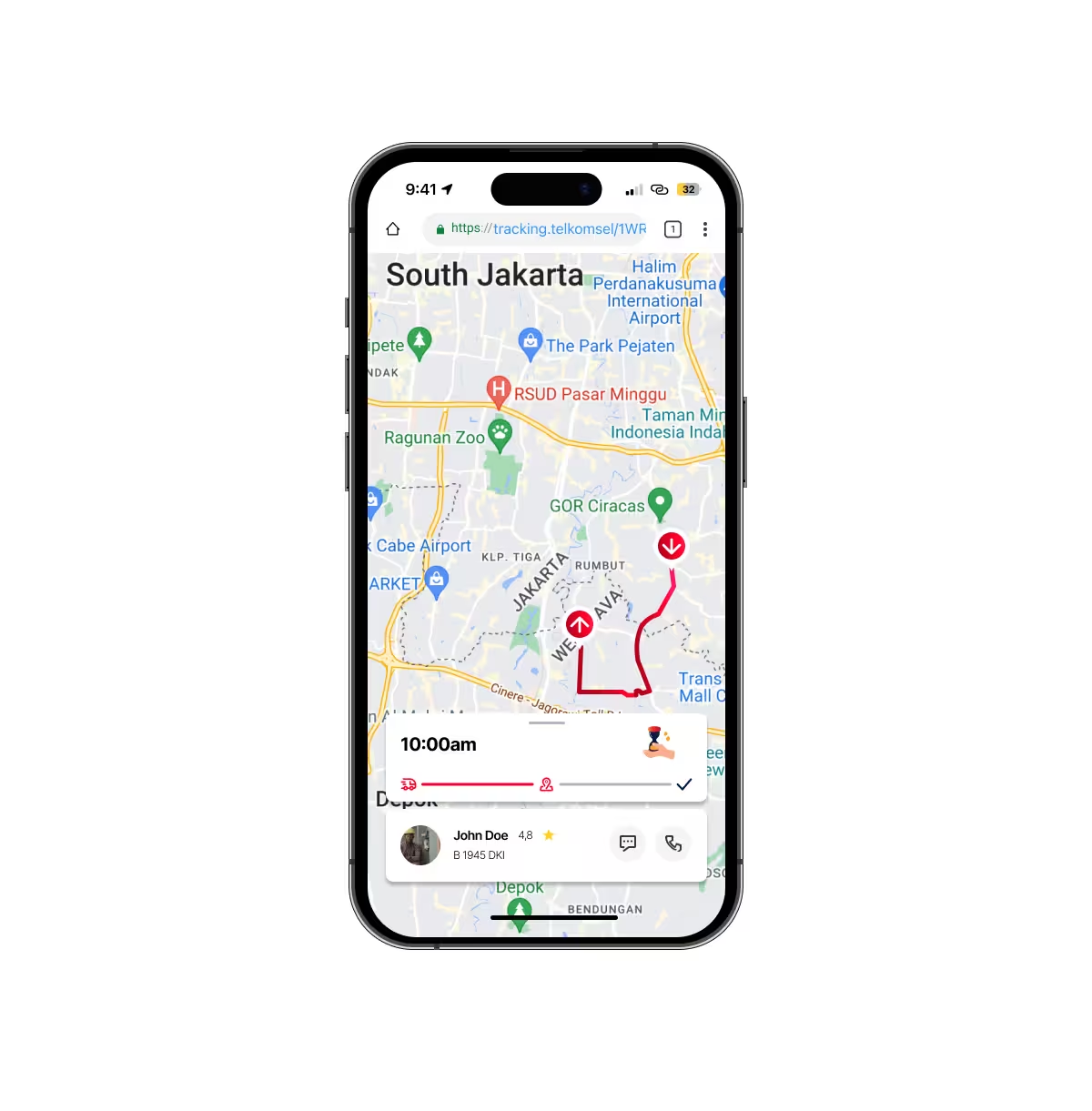
2. Live Tracking Map
The live tracking view provides real-time technician location, estimated arrival time, and current status on a map.
This screen acts as the primary reassurance layer, reducing uncertainty during the waiting period.
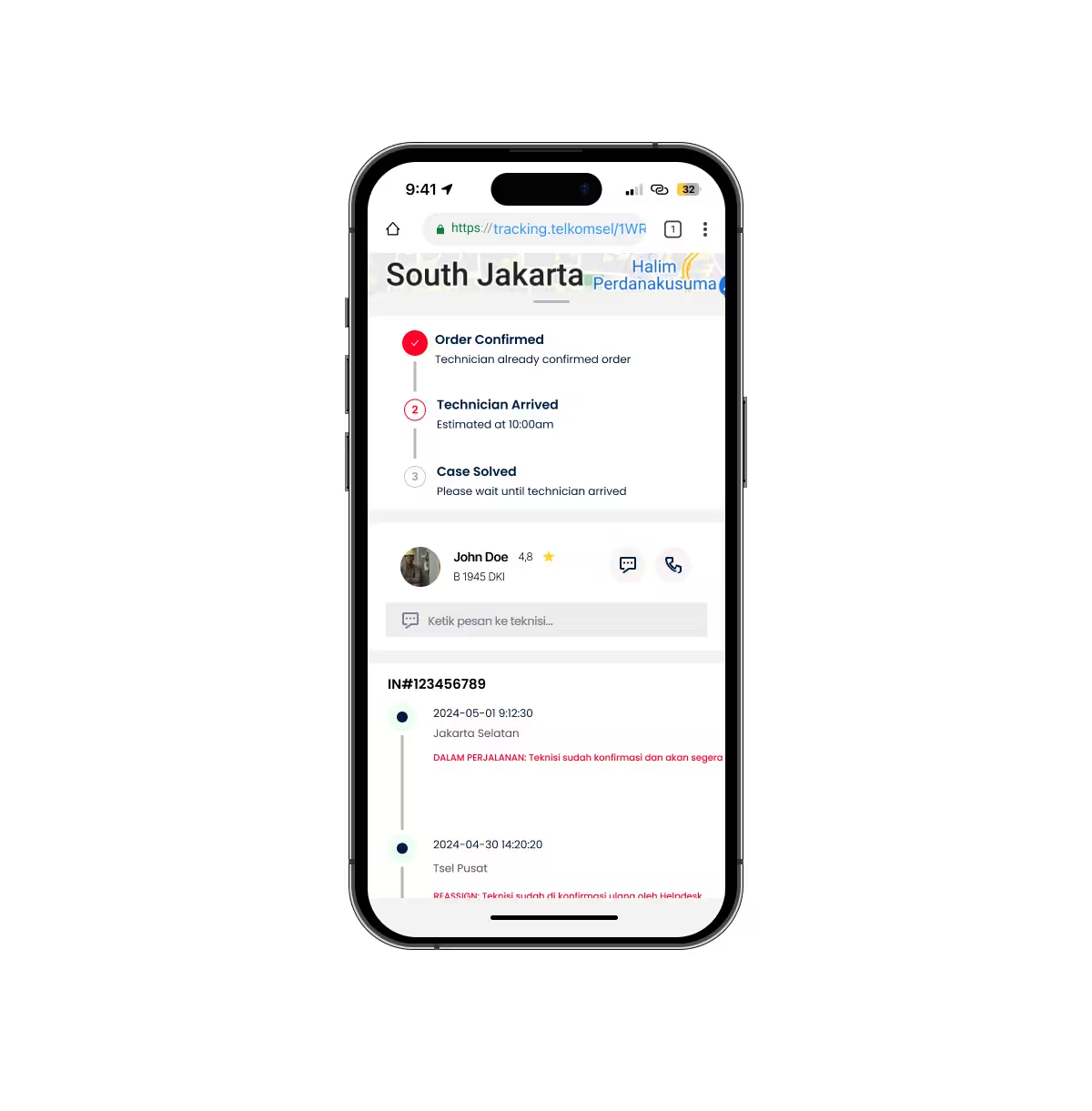
3. Ticket Detail & Progress Log
Detailed ticket information and progress logs are accessible without leaving the tracking view.
This allows users to understand what is happening behind the scenes without navigating through multiple screens or channels.
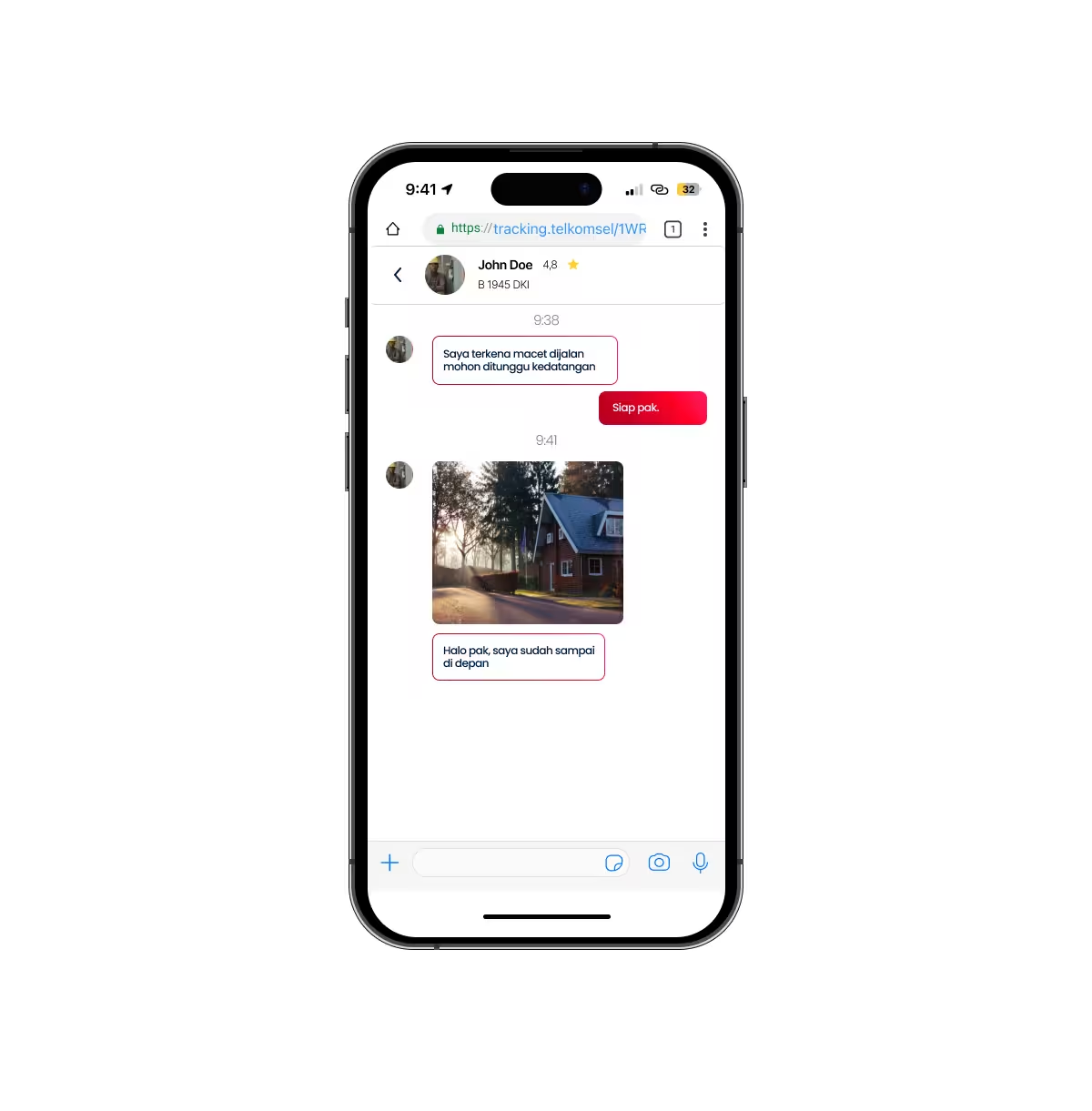
4. Message & Interaction Flow
A lightweight messaging feature enables contextual communication between users and technicians when needed.
The interaction is intentionally constrained to avoid excessive back-and-forth while still providing a sense of control.
06. Outcome & Learnings
While this project was a concept exploration, it demonstrated how existing technician tracking systems could be extended into a customer-facing experience.
Key learnings:
- Transparency reduces anxiety more effectively than frequent notifications
- Users value realistic status updates over overly optimistic estimates
- Designing from system constraints leads to more believable experiences
This project strengthened my approach to designing customer experiences that are grounded in real operational workflows.